Small business AI receipt scanning, HMRC ready for quarterly filing

AI receipt scanning converts a photographed or emailed receipt into structured, exportable expense data, extracting vendor, date, amount, VAT and line items without manual typing. Small business owners, freelancers and accountants gain the most, cutting bookkeeping hours and keeping audit-ready records. Tools like Ledgery build this directly into quarterly tax preparation.
TL;DR:
- Reliability heavily depends on input quality; photographing receipts flat, well-lit, and without overlap significantly improves accuracy.
- Line-item extraction is essential for VAT reconciliation and cost splitting, making it more valuable than header-only data capture.
- Confidence scores and duplicate detection are critical features to verify data accuracy and prevent redundant or erroneous submissions.
- Automated workflows that structure data before quarterly tax deadlines eliminate last-minute manual reconciliation and filing stress.
- Prioritize tools with adjustable confidence thresholds and strong vendor recognition to optimize accuracy over repeated use.
Table of Contents
- How does AI receipt scanning work?
- What features separate reliable tools from marketing claims?
- How does receipt scanning fit into your bookkeeping workflow?
- How accurate is AI receipt scanning, really?
- How do you get consistently accurate scans?
- Why receipt scanning matters for quarterly tax filing
- What actually matters in an AI receipt scanner?
- Try Ledgery for quarterly tax updates without the manual entry
- Where to read more on receipt OCR technology
- Sources
How does AI receipt scanning work?
AI receipt scanning runs on a three-stage pipeline. First, image capture: a photo, PDF, or forwarded email attachment enters the system. Second, optical character recognition combined with computer vision reads the layout, not just the text, so it can tell a total from a subtotal or a tip line. Third, field extraction pulls out structured data, vendor name, date, amount, tax, and maps it against a validation model before it lands in your books.
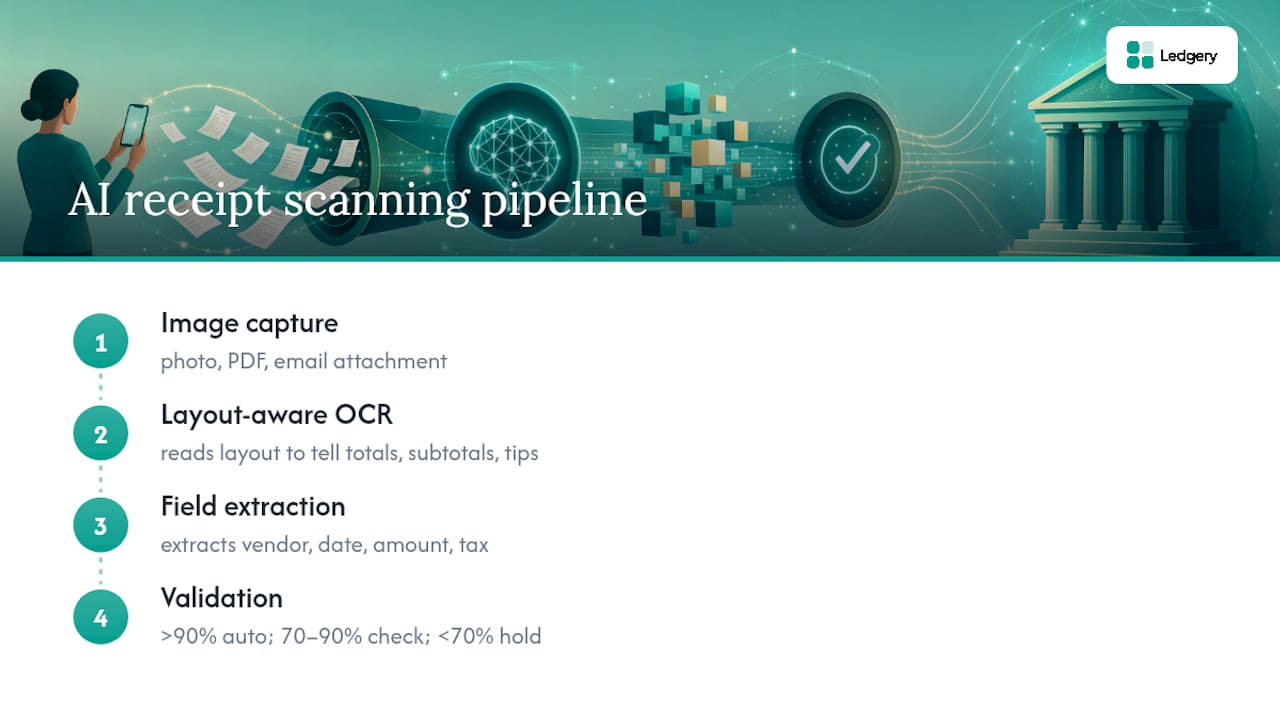
That validation stage is where confidence scoring earns its place. Each extracted field gets a score, and sensible systems set thresholds such as auto-accepting fields above 90%, flagging the 70 to 90% band for a quick check, and holding anything below 70% for manual correction. Totals often warrant more caution than a merchant name, since a misread total costs more if it slips through unnoticed.
Header-only extraction (vendor, date, total) suits simple expense logging. Line-item extraction, capturing every product or service on the receipt, matters far more for VAT reconciliation and cost allocation, because it lets you split a single supermarket receipt across several expense categories instead of dumping it all into one.
Multi-currency and multi-language detection rounds out the pipeline, useful if you travel for work or buy from overseas suppliers, though accuracy on unfamiliar currencies tends to lag behind domestic receipts.
What features separate reliable tools from marketing claims?
Vendor claims about accuracy are easy to make and hard to verify from a spec sheet. These are the features worth checking before you trust a tool with your books:
- Per-field confidence scores with adjustable thresholds. You should be able to see why a field was flagged, not just that it was.
- Line-item extraction, not just headers. Mixed-VAT receipts, a shop bill with zero-rated food and standard-rated goods together, need this to be useful for tax purposes.
- Duplicate detection at submission. Photographing the same receipt twice, or a colleague submitting an already-claimed expense, should be caught automatically.
- Email auto-capture and accounting integrations. Connecting Gmail, Outlook or IMAP so receipts forward themselves in, then exporting cleanly to Xero, QuickBooks or Google Sheets.
- Batch processing and supported file types. JPG, PNG and PDF support, plus the ability to handle multi-page invoices, with audit metadata (timestamps, image references, correction history) attached to every export.
Pro Tip: Test a tool with your messiest receipt, not your neatest one, a faded fuel station slip works better than a crisp invoice for judging real-world accuracy.
How does receipt scanning fit into your bookkeeping workflow?
The typical flow runs mobile capture, on the spot, at the till, straight into web-based review, then export to your accounting package. That sequence matters because it removes the shoebox-of-receipts problem entirely.
- Snap the receipt on your phone the moment you get it.
- Review flagged fields on the web dashboard once a week, not once a quarter.
- Export mapped data, vendor, category, VAT, to your chart of accounts in Xero, QuickBooks, or a spreadsheet.
Mapping extracted fields to the correct expense category is where a lot of manual bookkeeping time disappears; automation does this mapping once you have trained the system on your regular suppliers. Structured exports carry audit metadata, image references, confidence scores, and correction history, so nothing gets lost between capture and filing. For anyone filing under Making Tax Digital, having receipts already organised by quarter removes the scramble that usually precedes a submission deadline. This is structured specifically around quarterly HMRC updates rather than generic expense reports.
How accurate is AI receipt scanning, really?
Extraction errors happen for predictable reasons: faded thermal paper, receipts photographed at an angle, handwritten additions, or a till receipt printed in a font the model has never seen. None of this is a flaw unique to one tool, it is a physical limitation of reading a printed image.
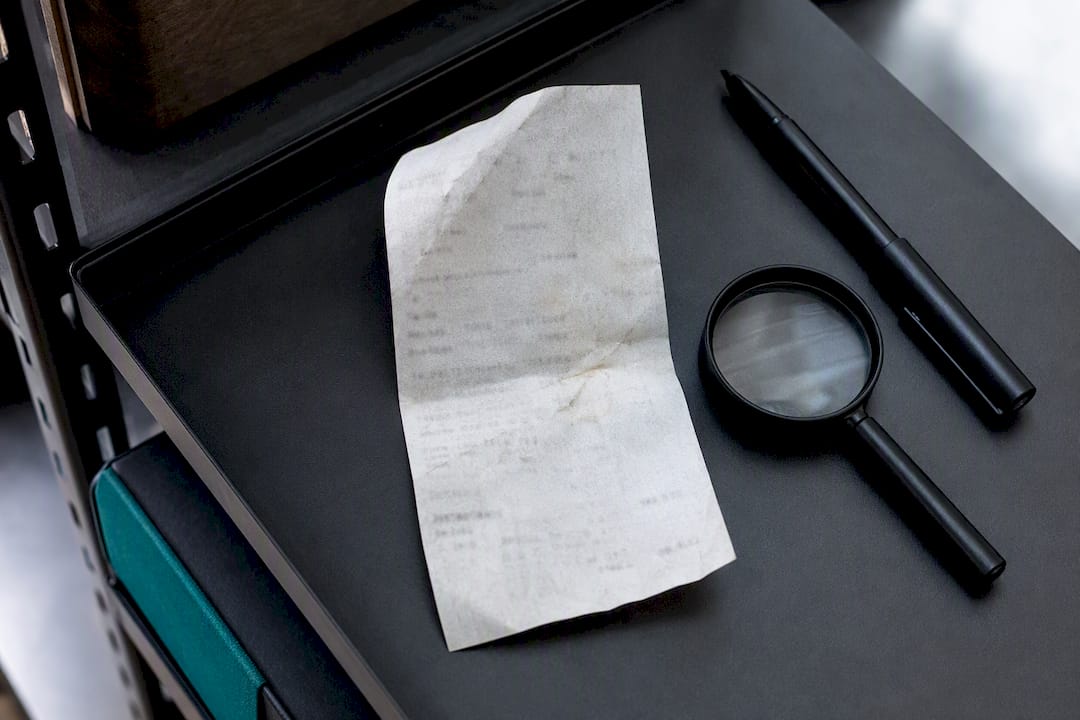
Confidence bands exist precisely to manage this risk. Layout-aware systems can reach 99%+ extraction accuracy, and some vendors offer a human-in-the-loop add-on that pushes critical fields towards 99.99% for high-volume, API-driven use.
Vendor recognition also improves with use. Systems that learn from your corrections often reach 99%+ accuracy on your most frequent suppliers after roughly a month of use, because the model has by then seen your regular coffee shop or fuel station receipt dozens of times.
Header-only accuracy is usually fine for simple mileage or subsistence claims. Line-item accuracy becomes non-negotiable the moment VAT reconciliation or cost splitting enters the picture, and that is exactly where agentic parsing that escalates difficult scans to heavier models tends to outperform simpler tools.
How do you get consistently accurate scans?
Getting reliable results is mostly about input quality, not clever settings. Follow these steps to cut down on manual review:
- Photograph receipts flat, well-lit, and cropped to a single receipt. Avoid heavy JPEG compression, which destroys the fine text OCR needs.
- Set up email forwarding rules. Route supplier invoices and digital receipts straight into your scanning inbox instead of downloading and re-uploading them.
- Space receipts apart when batching multiple items in one photo. Keeping them flat and uncropped from each other preserves per-receipt accuracy above 90%, whereas overlapping receipts confuse the layout model.
- Set your confidence thresholds deliberately, then review flagged items weekly rather than letting them pile up for a quarter.
- Correct the same vendor consistently. Repeated corrections train the model on your regular suppliers, which is what drives that vendor-recognition improvement over time.
Pro Tip: Photograph receipts the same day you receive them. Thermal paper fades within weeks, and a receipt that scans perfectly today may be unreadable by month end.
Why receipt scanning matters for quarterly tax filing
Ledgery built its receipt scanning around one specific job: turning a pile of paper and email receipts into HMRC-ready quarterly updates. The flow is simple in principle. You capture a receipt with your phone, the system organises it into the right expense category, and by the time your quarterly deadline arrives, the data is already structured and exportable rather than scattered across folders and inboxes.
For anyone facing Making Tax Digital requirements, having structured data stops being a convenience and becomes the difference between a calm submission and a last-minute scramble. Deadline alerts built around the same captured data close the loop, so nothing is filed late because a receipt sat unprocessed.
What actually matters in an AI receipt scanner?
Most coverage of receipt scanning treats it as a productivity trick, snap a photo, save some typing. That undersells what is actually happening. The real value sits in the confidence scoring and line-item extraction working together, because that combination is what determines whether the output is genuinely usable for tax purposes or just a slightly tidier shoebox.
Conventional advice tends to focus on OCR accuracy percentages in isolation, which misses the point. A tool that reads 99% of characters correctly but dumps everything into a single “total” field is less useful for a freelancer doing VAT splits than one with slightly lower raw accuracy but proper line-item breakdown. Accuracy without structure does not solve the tax problem.
If you take one thing from this, prioritise line-item extraction and duplicate detection over headline accuracy claims. Those two features determine whether your quarterly HMRC update assembles itself or whether you are still doing manual reconciliation at deadline time. That is the gap that decides whether receipt scanning saves you hours or just moves the tedium somewhere else.
— Jason
Try Ledgery for quarterly tax updates without the manual entry
This is an alternative to a shoebox of paper and a spreadsheet at deadline time, built specifically for self-employed people and property owners who need quarterly HMRC updates rather than generic expense reports.
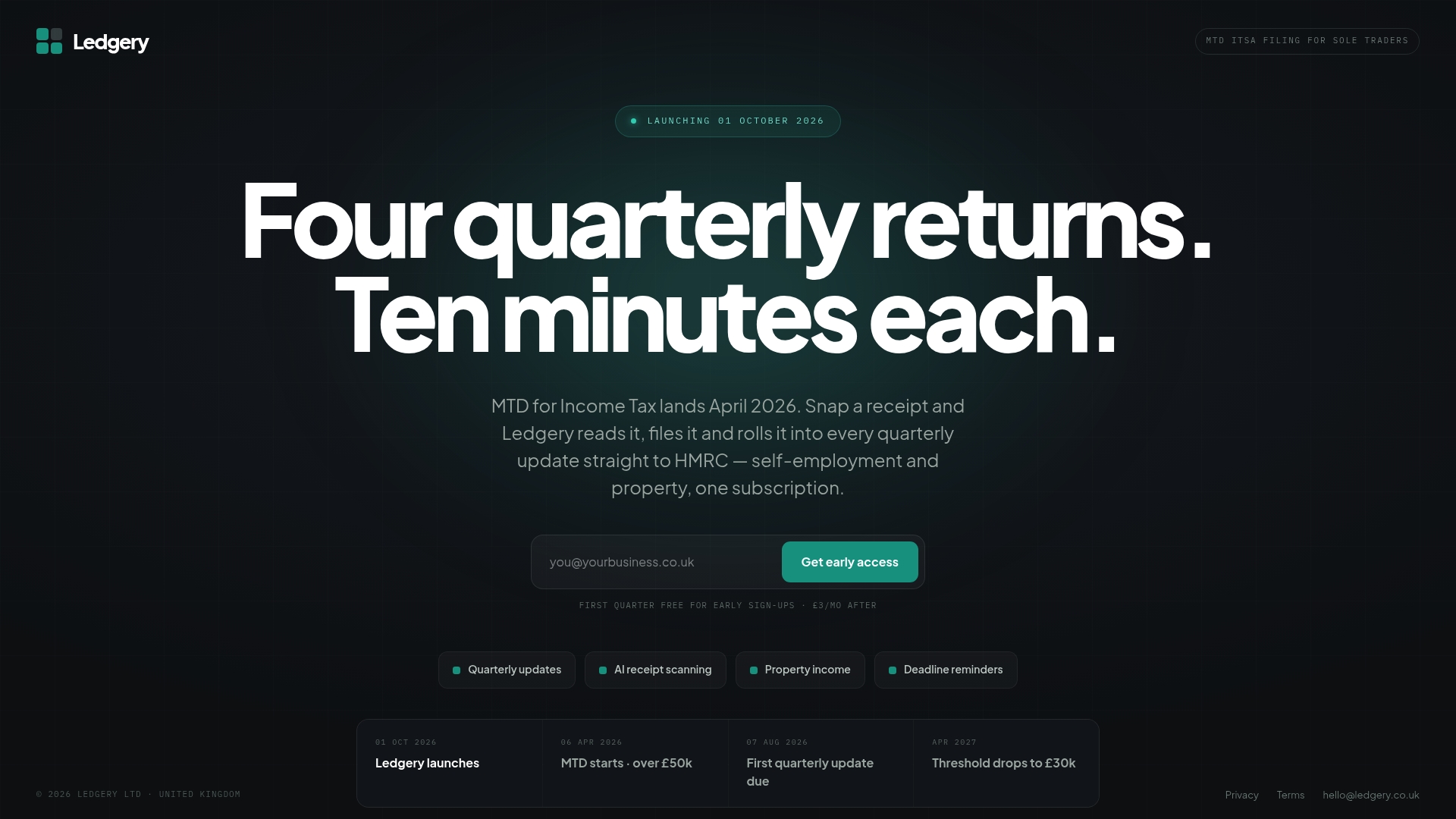
You photograph a receipt, Ledgery organises the data into the right category, and by the time your quarterly submission is due, the structure is already there. The service starts with a free trial period, which gives you room to test it properly before paying anything. While you trial it, check three things: how well it recognises your regular suppliers after a few weeks of corrections, how cleanly your exports map to your own record-keeping, and whether the workflow genuinely fits how you actually work day to day. If you also want a template-based approach for tracking alongside your receipts, the expense tracker guide from Cash Heaven covers spreadsheet builds that pair well with scanned data. To see the free trial and start your first quarter, visit Ledgery.
Where to read more on receipt OCR technology
- OmniPATH explains confidence bands, thresholds and vendor-recognition improvement over time.
- Lido covers layout-aware line-item extraction and audit metadata in exports.
- Tabscanner details API-based OCR and human-in-the-loop accuracy options.
- LlamaIndex describes agentic parsing and model escalation for difficult scans.
Sources
- Receipt Processing | OmniPATH
- Receipt OCR | Lido
- Tabscanner - Receipt OCR API
- Accurate receipt OCR: line-item & tax extraction | LlamaIndex
Recommended
Self-employment and property income in one subscription, first quarter free. Join the early access list and we’ll email you once, when it opens.
Join early access