MTD ITSA exemptions: who qualifies and how to apply

Most self-employed people and landlords will need to comply with Making Tax Digital for Income Tax. A smaller group qualifies for MTD ITSA exemptions automatically, based on details already recorded on their 2024/25 Self Assessment return: trustees, personal representatives, foster carers whose only income is qualifying care receipts, Lloyd’s underwriters, and anyone without a National Insurance number on the relevant date. Others, chiefly those affected by digital exclusion, must apply directly to HMRC.
An exemption only removes the requirement to send quarterly digital updates. It does not remove the duty to file an annual Self Assessment return.
Your first move is simple: check whether your 2024/25 return already reflects the circumstance that might exempt you. If it does not, start gathering evidence now.
- Automatic: trustees, personal representatives, qualifying foster carers, Lloyd’s underwriters, no NI number by the cutoff date
- Applied-for: digital exclusion due to age, disability, location or religious belief
HMRC aims to process written exemption applications within 28 days, so timing your request matters as much as the content of it.
Key Takeaways
Most taxpayers must comply with MTD ITSA; only specific automatic categories and successful digital exclusion applications remove the quarterly reporting requirement.
| Point | Details |
|---|---|
| Check your 2024/25 return first | Automatic exemptions are usually detectable from data already on that return. |
| Digital exclusion needs proof | Age, disability, location or religious belief must be evidenced, not just claimed. |
| Apply early | HMRC’s 28-day aim leaves little margin if you apply near a quarterly deadline. |
| Exemption doesn’t end Self Assessment | You still file an annual return even with an approved exemption. |
| Ledgery helps the compliant majority | For those still in scope, receipt scanning and quarterly updates cut the admin load, with a free first quarter. |
Table of Contents
- Who is automatically exempt from MTD ITSA
- Exemptions you must apply for: digital exclusion and other grounds
- How to apply for an MTD exemption
- How long does an exemption decision take, and what if it’s refused?
- What evidence gives an application the best chance?
- Practical checklist before you submit
- What advisers see go wrong with exemption applications
- An editorial view on where the exemption process gets misunderstood
- Reducing the admin burden once you’re in scope for MTD
- Where to check the details yourself
- Frequently asked questions
- Sources
Who is automatically exempt from MTD ITSA
Automatic exemptions need no form, no letter, and no phone call. HMRC grants them based on data already sitting in its systems, usually pulled from your 2024/25 return.
Some categories are permanent, tied to your role or status rather than a single tax year:
- Trustees of a trust
- Personal representatives of someone who has died
- Foster carers whose sole income is qualifying care receipts
- Lloyd’s underwriters, in respect of their underwriting business
- Anyone who did not hold a National Insurance number on the qualifying cutoff date
Other automatic exemptions are tax-year specific. These depend directly on entries in the 2024/25 return, including certain blind person’s allowance claims, ministers of religion, and some cases involving registered power of attorney or deputyship arrangements. A further group of exemptions is temporary rather than automatic in a lasting sense: taxpayers whose return includes SA109 or SA107 pages may see reporting deferred until at least April 2027.
HMRC reads the 2024/25 return to flag these automatically, matching boxes and entries to the exemption criteria. If you believe HMRC has missed something, the fix is not a fresh application but a query through Self Assessment general enquiries, asking HMRC to review the return data behind the decision.
Exemptions you must apply for: digital exclusion and other grounds
Digital exclusion is the main category that requires a formal request. The legal test is whether it is “not reasonably practicable” for you to use MTD-compatible software, and HMRC assesses that against four grounds: age, disability, remote location, or religious belief that conflicts with using electronic devices.
This is a judgement call, not a checklist. HMRC weighs each application on its own facts rather than applying a fixed formula.
- Age combined with a genuine inability to learn or access new software
- A disability that makes regular digital record keeping impractical
- Location where reliable broadband is not available and no reasonable alternative exists
- Religious belief that prevents the use of computers or the internet
Other applied-for grounds exist too, including recent, significant changes in personal circumstances that make immediate digital compliance unreasonable. Some deferrals also require the taxpayer to give HMRC notice rather than relying on automatic detection.
Outcomes vary in duration. Some digital exclusion exemptions are permanent; others are reviewed periodically or granted for a fixed period. Either way, if your circumstances change, you must tell HMRC within three months. Missing that window risks the exemption being revoked, with compliance backdated.
Pro Tip: If your exemption is granted on medical grounds and your condition improves, notify HMRC straight away rather than waiting for a renewal letter that may never come.
How to apply for an MTD exemption
Applying properly the first time avoids weeks of back-and-forth with HMRC. Here is the sequence that works.
- Choose your contact route. Call HMRC Self Assessment general enquiries, use the Agents Dedicated Line if you are a representative, or write to HMRC directly. An authorised agent, such as an accountant, can apply on a taxpayer’s behalf provided they hold proper authorisation.
- Gather your identifying details. You will need your Unique Taxpayer Reference, National Insurance number, full name, and current address. Missing any of these is one of the most common causes of delay.
- Use the recommended subject line. For written applications, HMRC has published specific subject titles to use, which route your letter to the right team faster than a generic heading would. Skipping this step is a small mistake with a real cost in processing time.
- Explain your case clearly. State plainly why compliance is not reasonably practicable, when the circumstances began, how long you expect them to last, and what documents support the claim.
- Keep records of everything. Retain copies of your letter and any evidence, send by recorded delivery where the stakes are high, and note the submission date so you can chase HMRC if you have heard nothing after 28 days.
HMRC states it aims to process exemption applications within 28 days of receiving a complete request. Incomplete applications, particularly those missing evidence, take longer.
How long does an exemption decision take, and what if it’s refused?
The 28-day figure is a service aim, not a guarantee written into law. Applications missing documentation, or those needing further clarification, routinely take longer, and HMRC will pause the clock while it waits for your reply.
- If HMRC refuses your application, you generally have a 30-day window to appeal the decision.
- Gather any additional evidence the refusal letter points to before resubmitting or appealing.
- If a quarterly update is missed while a decision is pending, you may still face penalty exposure, even if the exemption is later granted.
- The Association of Taxation Technicians advises applying well ahead of your first quarterly deadline, ideally the summer before the tax year in question, precisely because the 28-day window leaves little margin if anything goes wrong.
Applying at the last minute is where most avoidable problems happen: clarification requests, delayed decisions, and a taxpayer stuck between a pending application and a live filing deadline.
What evidence gives an application the best chance?
HMRC places the burden of proof on the applicant, and the strength of your evidence shapes the outcome more than the strength of your argument.
Documents that carry real weight include signed medical letters explaining the nature and duration of a condition, statements from social services confirming a caring or support role, and registered Lasting Power of Attorney or Court of Protection deputyship paperwork. Broadband provider correspondence or a local authority letter confirming no reliable internet in your area can support a remote-location claim.
- Dated, specific medical or professional letters rather than vague self-declarations
- Third-party corroboration, such as a carer’s or GP’s letter, alongside your own account
- Clear distinction between partial and complete incapacity, since HMRC treats these differently
- Evidence of attempts to get help with digital filing, which strengthens a borderline case
Arguments that rarely succeed include the cost of software, general unfamiliarity with computers, or a simple preference for paper records. ACCA’s guidance notes that vague claims of impracticality are frequently rejected outright.
Pro Tip: If your evidence only shows partial incapacity, say so honestly and explain how that still prevents compliance. HMRC responds better to a precise, limited claim than an overstated one.

Practical checklist before you submit
Work through these steps in order, and you reduce the chance of a delayed or rejected application.
- Check your 2024/25 return to see if it already records the exempting circumstance.
- Collect your UTR, National Insurance number, and identity documents alongside supporting evidence.
- If a representative is applying on your behalf, confirm their agent authorisation is in place first. A Power of Attorney arranged through a notary service can help formalise this where an LPA or deputyship is involved.
- Submit your application using HMRC’s recommended subject line for written requests.
- Note the submission date, then follow up if you have heard nothing after 28 days.
If HMRC asks for more information, respond promptly and specifically, rather than resending the same documents. Where possible, apply in the summer before the relevant tax year begins, giving HMRC time to decide before your first quarterly deadline arrives.
What advisers see go wrong with exemption applications
Vague evidence is the most common failure. A letter saying someone “struggles with computers” carries far less weight than a GP’s letter describing a specific, dated condition and its practical effects.
Late applications are the second problem. Submitting a request two weeks before a quarterly deadline leaves no room for HMRC’s 28-day window, let alone a request for clarification.
The strongest applications read like a short case file: a covering letter with dates, a clear description of why compliance is not reasonably practicable, and two or three pieces of dated, third-party evidence attached. That structure alone cuts down the number of follow-up questions HMRC needs to ask.
Getting agent authorisation wrong also causes delay. Confirm it is active before HMRC receives the application, not after. And whatever the outcome, remember the annual Self Assessment return is still due regardless of exemption status.
An editorial view on where the exemption process gets misunderstood
The research here supports a blunt conclusion: most people who assume they qualify for an exemption do not, and most people who do qualify wait too long to prove it. Conventional advice tends to focus on the categories, which groups get automatic treatment, which need to apply, without stressing enough that the evidence bar for digital exclusion is genuinely high. HMRC is not looking for reluctance. It is looking for a documented reason compliance is not reasonably practicable.
Where the standard guidance falls short is timing. Plenty of explainers list the grounds for exemption without emphasising that a 28-day processing aim, run against a quarterly filing deadline, leaves almost no room for error if your first application is incomplete.
If you take one thing from this, prioritise the paperwork over the phone call. A well-evidenced written application, sent early, beats a rushed conversation with HMRC every time.
Reducing the admin burden once you’re in scope for MTD
Ledgery is built for the far larger group of self-employed people and landlords who won’t qualify for an exemption and simply need a manageable way to stay compliant.
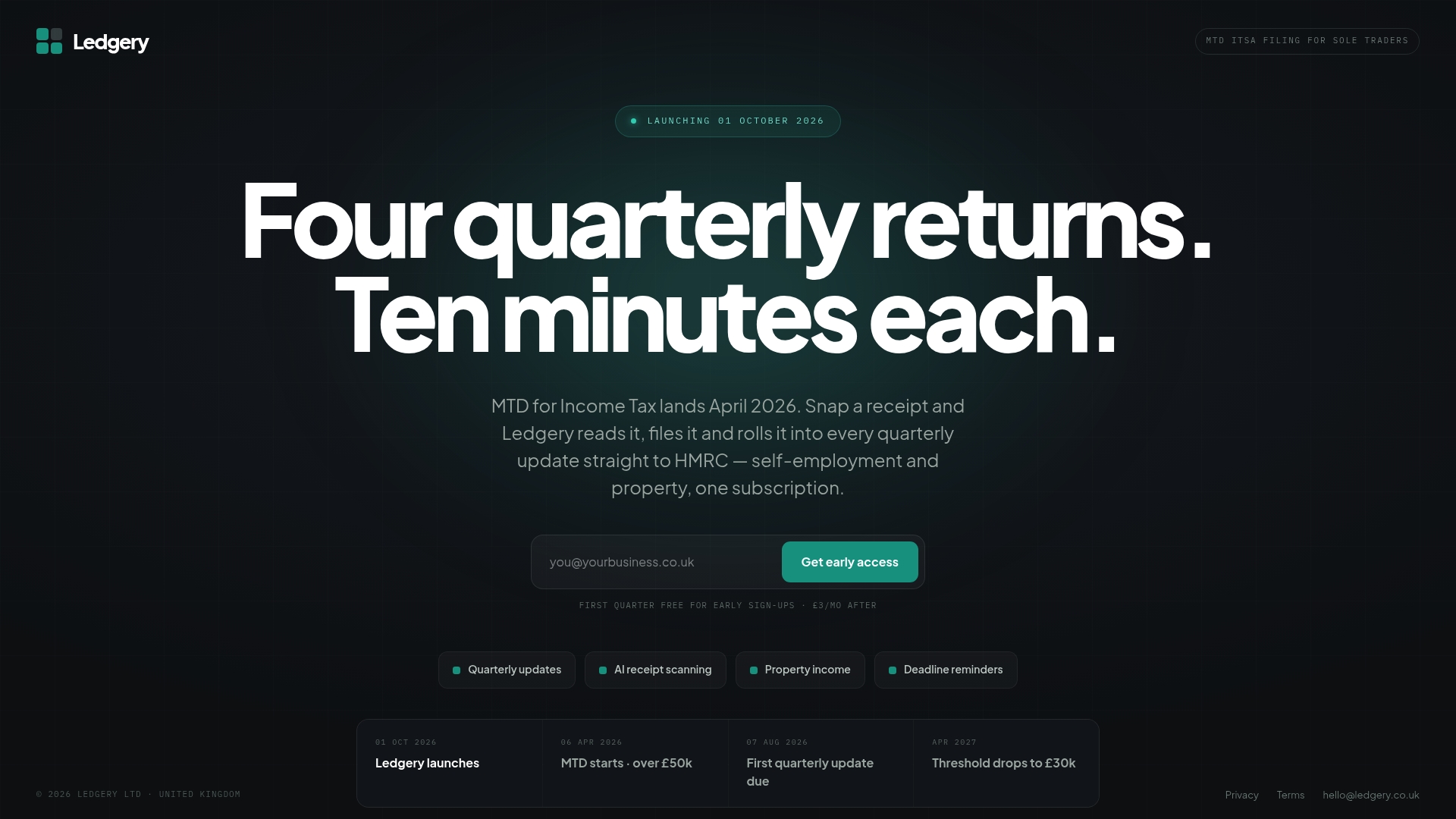
Instead of manually logging receipts and reconstructing figures every quarter, Ledgery scans receipts as you go, organises the data into HMRC-ready quarterly updates, and sends deadline alerts so nothing slips past you. It’s particularly useful if your income sits above the £50,000 threshold, where quarterly reporting obligations bite hardest.
To be clear: Ledgery has no bearing on exemption eligibility. If you’re exempt, none of this applies to you. But if you’re one of the many who must comply, it removes the tedious part of the process. New users get their first quarter free, so you can see how it fits your workflow before paying anything.
Where to check the details yourself
- Find out if you can get an exemption from Making Tax Digital for Income Tax — GOV.UK eligibility guidance
- Apply for an exemption from Making Tax Digital for Income Tax — GOV.UK application process
- The Income Tax (Digital Obligations) Regulations 2026 — primary legislation
- LITRG guidance on MTD exemptions — explanatory guidance for deferrals
- ATT guidance on exemption timing — professional-body practitioner advice
Frequently asked questions
Can I use spreadsheets for MTD ITSA if I don’t qualify for an exemption? Yes. HMRC permits MTD-compliant spreadsheets provided they connect to HMRC’s systems through compatible bridging software. A spreadsheet alone, without that link, will not satisfy the digital record-keeping requirement.
Are spreadsheets for MTD ITSA a substitute for applying for an exemption? No. Using spreadsheets is a way to comply with MTD, not a way around it. If you are not exempt, you still need MTD-compliant record keeping, whether through spreadsheets with bridging software or dedicated software.
How do I apply for an MTD exemption if I’m applying on behalf of someone else? Confirm your agent authorisation is active, then contact HMRC through the Agents Dedicated Line or in writing, including the client’s UTR, National Insurance number, and supporting evidence such as a registered Power of Attorney.
What are the MTD exemptions criteria for digital exclusion specifically? HMRC assesses whether it is not reasonably practicable for you to use compatible software due to age, disability, remote location without reliable broadband, or religious belief. Each application is judged individually.
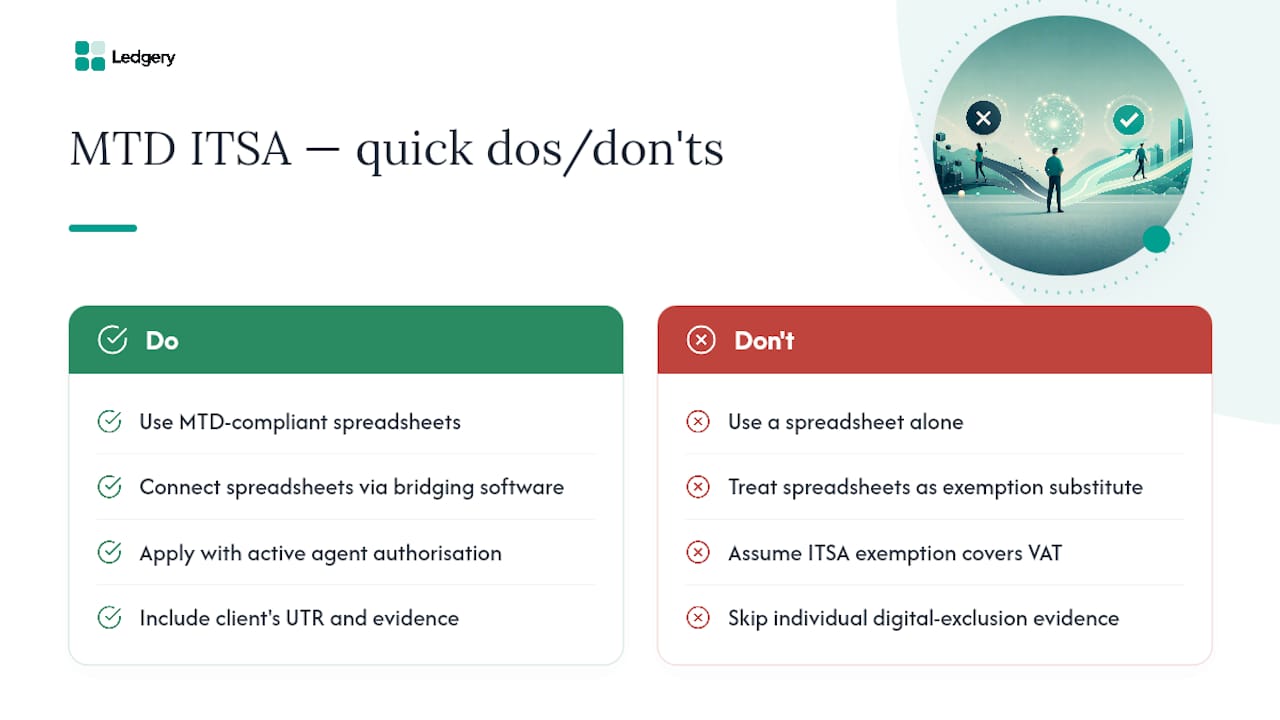
Does an MTD ITSA exemption cover VAT as well? No. An MTD ITSA exemption applies only to Income Tax Self Assessment reporting. VAT has its own separate MTD rules and exemption process.
Sources
- Apply for an exemption from Making Tax Digital for Income Tax
- Find out if you can get an exemption from Making Tax Digital for Income Tax
- Making Tax Digital: exemption cases, when and how to apply
- Making Tax Digital exemptions | Low Incomes Tax Reform Group
- The Income Tax (Digital Obligations) Regulations 2026 (SI 2026/336)
Recommended
Self-employment and property income in one subscription, first quarter free. Join the early access list and we’ll email you once, when it opens.
Join early access