Developers: 5 Photo Rules To Reach 0.85 Confidence in Receipt OCR
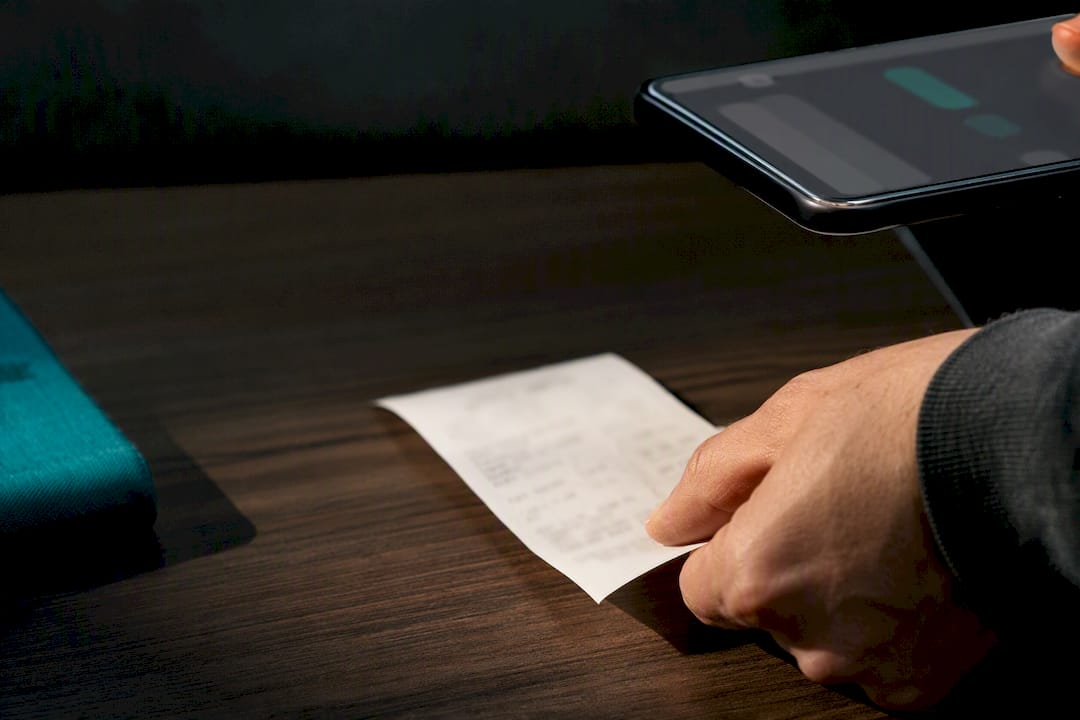
Receipt OCR turns a photo or PDF into structured data such as merchant, date, tax and line items, delivered as JSON rather than raw text. For production use, a hosted API gives you the best accuracy and least maintenance. Local tools like Tesseract via WebAssembly suit prototypes or cases where images cannot leave the device. Most teams use the output for automated expense reporting or bookkeeping exports.
TL;DR:
- Ensuring high image quality with even lighting, no glare, and tight cropping significantly improves receipt OCR accuracy, especially for low-confidence fields.
- Modern layout-aware AI models outperform character recognition by understanding receipt layout and position, enabling better total and line-item extraction.
- Validation of OCR output should include confidence thresholds around 0.85, with automatic re-scanning for fields falling below this score to reduce manual review.
- Hosted AI APIs offer better scalability, multi-language support, and accuracy compared to open-source or client-side OCR solutions, especially for high-volume use.
- Continuous monitoring of field confidence scores and format drift detection is essential for maintaining data quality in multi-country or multi-currency receipt processing systems.
Table of Contents
- How receipt OCR works: from image to structured JSON
- Developer integration: endpoints, auth and example JSON
- Why accuracy varies and how to improve image capture
- Choosing between open-source, client-side and hosted APIs
- What teams forget when launching receipt OCR
- Ledgery: from receipt photo to HMRC-ready records
- Sources
How receipt OCR works: from image to structured JSON
Before any text extraction happens, the image usually needs preprocessing. Deskewing straightens a crooked photo, cropping removes background clutter, and denoising cleans up creases or shadows on the paper. Skip this step and accuracy drops sharply, particularly on phone photos taken at an angle.
Once the image is clean, two different technical approaches take over. Character-level OCR reads text symbol by symbol, which works fine for a clear printed word but struggles to understand that a number sitting bottom-right is the total rather than a subtotal. Layout-aware AI models, by contrast, read position and context. They can identify a total by its position and typographic cues even when some characters are smudged, which is why most modern receipt tools lean on this approach for line-item extraction rather than plain character recognition.
The output you get back typically includes:
- Merchant name and address
- Transaction date and time
- Individual line items with description, quantity and price
- Subtotal, tax and total
- A confidence score for the document and, often, for each field
That structured JSON output matters more than it sounds. Without it, every developer ends up writing brittle regular expressions to guess where the total sits on a receipt, and those regular expressions break the moment a new store format appears. Structured fields with confidence scores let you build logic around certainty rather than hope.
Developer integration: endpoints, auth and example JSON
Most receipt OCR APIs follow a similar REST pattern. You upload an image or PDF to an endpoint, the service extracts data asynchronously, and you either poll for the result or receive it via a webhook. Authentication is almost always a Bearer token sent in the request header.
A typical flow looks like this:
POST /v1/receiptswith the image file and Bearer token to start extractionGET /v1/receipts/{id}to poll for the result once processing finishes- Webhook callback as an alternative to polling, useful for high-volume pipelines
- Batch endpoints for submitting multiple receipts in one call, subject to rate limits
A compact response typically looks like this:
Before trusting any of this downstream, run basic validation: check the schema matches what you expect, flag fields below a confidence threshold you set (commonly around 0.85), and route anything under that line into a manual review queue rather than silently trusting it. Pre-validating uploads for file size, correct image format and obvious skew before sending them to a third-party API also cuts wasted calls and keeps costs down on high-volume pipelines.
Why accuracy varies and how to improve image capture
Image quality drives accuracy more than any algorithm choice. Poor lighting, motion blur, an angled shot or a faded thermal receipt can all defeat even a strong model, and no amount of AI fully compensates for severe blur or extreme low contrast. Older character-only OCR engines fail badly here because they have no sense of layout. A modern layout-aware model at least has a chance of finding the total by position even when a few characters are unreadable.
To get consistently better results:
- Photograph the receipt flat, without folds or curls, against a plain contrasting background.
- Use even lighting and avoid direct flash glare on glossy thermal paper.
- Hold the camera directly above the receipt rather than at an angle.
- Crop tightly to the receipt edges before or immediately after capture.
- Re-scan automatically when the returned confidence score falls below your threshold, rather than accepting a guess.
Pro Tip: Build a simple heuristic that flags any total field under 0.85 confidence for a second photo, rather than a human review. Most low-confidence totals resolve on a re-scan taken in better light, which saves your review queue for genuinely ambiguous cases.
For low-confidence fields that survive a re-scan, a human-in-the-loop review step is still the safest fallback. Treat every parsed field as probabilistic rather than certain, log the confidence trend over time, and you will spot format drift before it becomes a data quality problem.
Choosing between open-source, client-side and hosted APIs
The right choice depends on volume, privacy needs and how much engineering time you can spend on maintenance. There is no single correct answer, only trade-offs.
- Tesseract via WebAssembly keeps images entirely on the user’s device and returns plain text, which then needs regex or custom parsing to become structured fields. Good for prototypes, offline tools, or cases where privacy rules mean images cannot leave the client.
- Open-source repositories such as receipt-ocr on GitHub bundle an OCR engine with a parsing module, useful for experimentation, but they demand ongoing maintenance as receipt layouts change.
- Hosted AI APIs handle multi-language and multi-currency receipts, return line-item accuracy that character-only tools cannot match, and scale without you managing infrastructure.
- A hybrid pattern works well for privacy-sensitive fields: prefilter or redact client-side, then send only what needs deep extraction to a server-side API.
Before picking a route, estimate your monthly receipt volume, the latency you can tolerate, how much budget exists for manual review, and any compliance constraints on where images can be stored.
What teams forget when launching receipt OCR
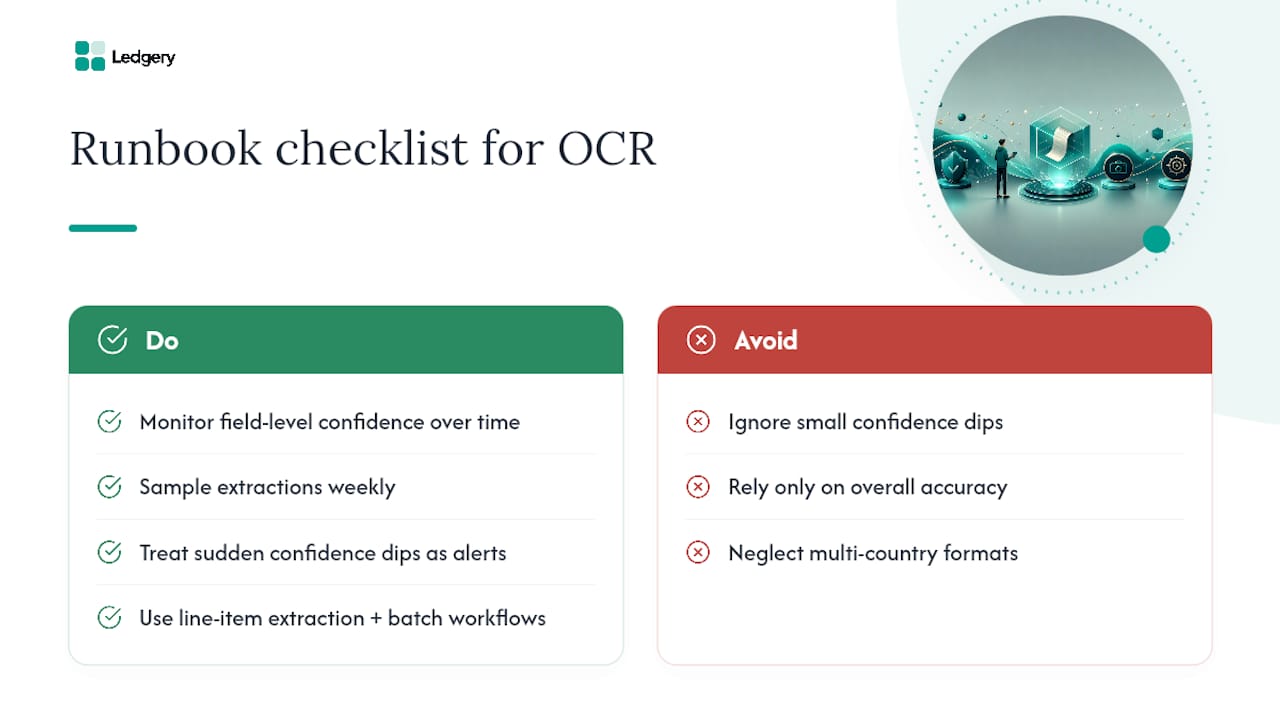
Most teams underestimate format drift. Currency symbols and tax formats cause similar quiet failures, particularly for teams handling receipts from multiple countries.
The fix isn’t more accuracy, it’s a runbook. Monitor field-level confidence over time, sample a batch of extractions weekly, and treat sudden confidence dips as a signal to investigate rather than noise to ignore. Teams that put this discipline in place report cutting month-end processing time substantially once line-item extraction and batch workflows replace manual entry, with the added benefit of a cleaner audit trail when a tax authority asks questions later.
— Jason
Ledgery: from receipt photo to HMRC-ready records
Ledgery is built for the exact problem this article covers: turning a stack of receipt photos into usable financial records without you doing the data entry. Snap a receipt, and Ledgery extracts the merchant, date and total, then organises it into quarterly summaries ready for HMRC updates under Making Tax Digital.
Unlike stitching together an open-source OCR pipeline yourself, Ledgery gives self-employed individuals and property owners a working system from day one, with deadline alerts so quarterly submissions never sneak up on you. The first quarter is free, so you can see the extraction quality on your own receipts before committing to a subscription. Exports work with common bookkeeping workflows, including CSV and formats friendly to QuickBooks and Xero, so the data doesn’t dead-end inside one app. If you already track allowable expenses manually, this replaces that spreadsheet step entirely. Start your free first quarter at Ledgery.
Sources
For the next technical steps, the LlamaIndex glossary entry on receipt OCR gives a clean definition of structured output fields. OCR.space’s receipt scanning documentation is worth reading if you need line-by-line text rather than full structured extraction. For a hands-on starting point, the receipt-ocr repository on GitHub shows how OCR and parsing modules fit together in practice.
Recommended
Self-employment and property income in one subscription, first quarter free. Join the early access list and we’ll email you once, when it opens.
Join early access